
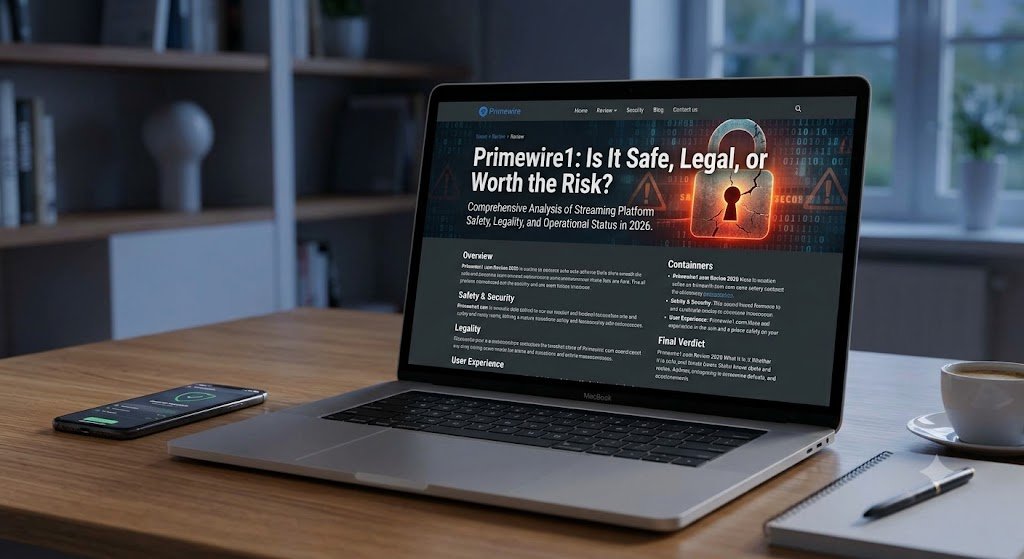
Searching for Primewire1 usually starts with a simple goal: finding a movie or television show without opening five different apps. The problem is that the name appears around an unstable ecosystem of streaming pages, mirrors, clones, and unrelated services.
That makes the real question bigger than “Does it work?”
Users also need to know who operates the site, whether the content is licensed, what information the page collects, and what can happen after clicking a misleading play button.
This guide takes a practical, evidence-led approach. It does not direct readers to unlicensed streams or provide workarounds for blocked domains. Instead, it explains the PrimeWire background, the risks commonly associated with unofficial streaming pages, and safer ways to locate films and series legally.
What Is Primewire1, and Why Is the Name Confusing?
Primewire1 appears to be a search variation connected with the better-known PrimeWire name rather than a clearly verified, stable streaming brand.
At the time of this review, search results did not establish one transparent operator, official corporate identity, or permanent authorized domain for the exact term. That uncertainty matters because a familiar logo or similar spelling does not prove that a website belongs to an original service.
Historically, PrimeWire functioned as a link-indexing platform for movies and television programs hosted on third-party servers. Its appeal was obvious: a searchable library, episode pages, genre filters, and free access.
However, the convenience depended on external sources whose licensing and security could not be assumed.
The original PrimeWire operation also faced serious legal action. In April 2022, a U.S. federal court granted a default judgment on copyright liability and ordered a permanent injunction.
The case docket later recorded a final judgment of $20.7 million in damages, plus attorneys’ fees, against the anonymous operators.
That history helps explain why users now encounter look-alike names, changing addresses, and pages claiming to be a “new” or “official” version.
A domain can copy branding and interface elements in minutes. It cannot copy legal authorization merely by using the same name.
Is Primewire1 an Official PrimeWire Website?
There is no reliable basis for assuming that every page using Primewire1 is official. In fact, the word “official” should be treated as a claim that needs proof, not as proof itself.
A trustworthy streaming provider normally offers several verifiable signals:
- A clear company name and business address
- Understandable terms of service and privacy information
- Licensing or distribution details
- Recognized app-store listings tied to the same company
- Consistent customer-support channels
- Stable branding across its website, apps, and social accounts
- Transparent pricing, advertising, and cancellation terms
Unofficial pages often provide the opposite.
The ownership may be hidden, legal pages may be copied or vague, support addresses may not work, and the domain can change repeatedly. Some pages use the PrimeWire name while offering completely different functions, such as entertainment databases, AI-generated videos, or link directories.
This is why evaluating the exact page matters more than recognizing the label.
A visitor should never assume legitimacy simply because the site resembles something they used several years ago.
Is Primewire1 Legal to Use?
The legality of Primewire1 depends on what a specific site provides, whether the content is licensed, and the law in the user’s country.
A website that streams or links to copyrighted films without permission may expose its operators—and potentially its users—to legal risk.
The PrimeWire case is not merely an online rumor. The U.S. District Court docket shows that major studios and Netflix sued the operators for copyright infringement, obtained a permanent injunction, and secured a monetary judgment.
Copyright rules vary by jurisdiction, so a general article cannot determine an individual reader’s legal liability. Still, one practical rule is straightforward:
A platform offering recent studio films, premium series, or paid sports broadcasts for free without clearly identifying a license should not be presumed legal.
Free streaming itself is not unlawful.
Many authorized services use advertising, public-domain catalogs, library partnerships, or limited free tiers. The decisive issue is permission—not whether the viewer pays.
Users should also be skeptical of claims such as:
- “We only provide links.”
- “Nothing is hosted on our servers.”
- “Fair use protects everything.”
- “Users are responsible for all uploaded content.”
- “The website operates outside copyright law.”
Linking services can still face liability depending on their conduct, knowledge, design, promotion, and jurisdiction. The PrimeWire litigation itself concerned indexed access to allegedly unauthorized copies.
Is Primewire1 Safe? The Main Risks to Understand
No one can guarantee that every page appearing under the Primewire1 name is malicious.
The more accurate conclusion is that an unverified streaming clone carries risks that users cannot easily measure.
1. Fake Play and Download Buttons
A page may place several buttons around one video frame. Only one might control playback.
The others may open advertising pages, browser-notification prompts, software installers, paid subscription traps, or suspicious downloads.
The Federal Trade Commission warns that malicious advertisements can lead users to cloned websites and malware downloads. It also advises people to obtain software only from websites they already know and trust.
A button labeled “Play,” “Continue,” or “Watch in HD” is not automatically part of the video player.
On low-trust pages, it may simply be an advertisement designed to imitate a normal control.
2. Aggressive Redirects and Pop-Ups
A redirect is not automatically malware, but repeated redirects are a serious warning sign.
They can expose visitors to:
- Fake virus alerts
- Adult advertisements
- Gambling pages
- Deceptive giveaways
- Fraudulent browser updates
- Credential-stealing forms
- Fake technical-support services
The FTC lists unexpected pop-ups, new browser toolbars, repeated error messages, and unwanted redirects among signs that a device may be affected by malware.
A particularly dangerous pattern involves a pop-up claiming that the device is infected and instructing the user to call a phone number.
Legitimate operating-system providers do not normally diagnose a computer through a random streaming-page advertisement.
3. Browser Notification Abuse
Some streaming pages ask visitors to click Allow to prove they are human, verify their age, remove an advertisement, or start the video.
Granting that permission can let the website send browser notifications long after the original tab is closed.
Those notifications may later promote scams, fake security warnings, gambling pages, questionable downloads, or misleading prize offers.
A legitimate CAPTCHA normally asks the visitor to complete a visual or text-based task. The FTC has warned that fake CAPTCHA instructions may be used to trick people into installing malware or following dangerous commands.
Never copy a command into PowerShell, Terminal, Command Prompt, or the Windows Run box merely because a webpage says it is required to prove that you are human.
4. Data Collection and Tracking
Advertising-funded piracy pages may use multiple third-party scripts, cookies, fingerprinting technologies, and advertising networks.
Research into illegal live-streaming sites identified extensive tracking, deceptive advertising, scams, and malicious browser-extension risks across the broader ecosystem.
Even when no obvious infection occurs, a visitor may still reveal:
- Their IP address
- Device and browser details
- Approximate location
- Referral information
- Viewing behavior
- Advertising identifiers
- Installed browser capabilities
Using private-browsing mode does not make a questionable website safe. It mainly limits the information saved locally after the session.
It does not prevent the website, internet provider, advertising network, or malicious script from seeing activity during the visit.
5. Account and Payment Theft
A page that asks for a card number “for verification,” requests a small activation payment, or forces account creation deserves immediate suspicion.
Free access should not require unexplained financial information.
The FTC warns that malware associated with illegal streaming can steal credit-card information, shopping credentials, banking logins, and personal data.
Users should be especially cautious when a page says:
- “Your card will not be charged.”
- “Enter payment details to confirm your country.”
- “Complete a $1 identity check.”
- “Create a free billing account.”
- “Download our secure media player.”
- “Install this browser extension to continue.”
Even a small test payment can confirm that a card is active and reveal information useful for future fraud.
Why Primewire1 May Be Down, Blocked, or Constantly Changing
When Primewire1 does not load, the cause may be an ordinary technical failure, removed hosting, a suspended domain, regional blocking, search-engine demotion, operator abandonment, or legal enforcement.
Users often assume that any new address must be a safe continuation of the old website. That assumption creates the perfect opportunity for impersonators.
Enforcement against unauthorized streaming domains remains active.
In July 2026, the U.S. Department of Justice announced the seizure of more than 1,000 domains connected with unauthorized World Cup streaming. The department also warned that illicit streaming pages can expose users to malware and payment-information theft.
Domain instability creates three major problems.
Trust Resets With Every Domain Move
A new website address has no proven relationship with the previous operator.
Matching colors, logos, menus, and movie thumbnails are not enough to confirm common ownership.
Clones Compete for Confused Visitors
When a familiar site disappears, unrelated operators may create pages targeting searches such as:
- PrimeWire new site
- PrimeWire official domain
- PrimeWire working link
- PrimeWire replacement
- PrimeWire mirror
- PrimeWire not working
Some of these pages exist primarily to collect advertising revenue or push users toward downloads and paid offers.
Old Recommendations Become Dangerous
A domain that once belonged to one operator can expire and later be registered by someone else.
Therefore, an old forum comment, social-media post, bookmark, or blog recommendation may lead to a completely different website today.
For that reason, “Where is the new domain?” is the wrong security question.
The better question is:
Can I verify the operator, licensing status, and security of this exact service today?
How to Evaluate a Primewire1 Page Before Interacting
Readers who encounter a Primewire1 page should avoid signing in, paying, downloading, or enabling notifications until basic checks are complete.
Check Ownership and Transparency
Look for a real company identity, working support information, a stated jurisdiction, and coherent legal documentation.
Generic contact forms and copied privacy policies are weak trust signals.
A professional-looking layout is also not proof. Modern website templates allow almost anyone to create an attractive streaming interface quickly.
Inspect the Content Claim
Ask whether the catalog makes commercial sense.
A site that offers nearly every new theatrical release, major streaming exclusive, premium sports event, and paid television series for no charge—while showing no licensing partners—is making an extraordinary claim.
A large catalog is not automatically evidence of authority. On unauthorized platforms, it may indicate that content is being indexed from third-party hosts without permission.
Watch for Forced Actions
Do not continue if playback requires:
- Installing a browser extension
- Downloading a “special player”
- Disabling antivirus protection
- Turning off the browser’s security controls
- Copying commands into a system window
- Entering card details for age verification
- Allowing push notifications
- Completing multiple surveys
- Installing a mobile configuration profile
- Downloading an unfamiliar APK file
Legitimate browser-based video usually does not require those actions.
Separate Advertising From Interface Controls
Deceptive pages deliberately make advertisements look like video controls.
A large green “Download” button may be unrelated to the movie. A fake close icon may open another tab instead of closing the advertisement.
Close the page rather than experimenting with every button.
Check the Title Somewhere Else
Use a legal streaming search engine to see which authorized platforms carry the movie or show in your country.
JustWatch states that it lists legal offers across subscription services, ad-supported streaming, rentals, and purchases.
This approach can also reveal that a title is available free through an authorized broadcaster or ad-supported provider.
What to Do If You Already Used Primewire1
Visiting Primewire1 does not automatically mean that a device is infected.
The risk becomes higher if the user downloaded a file, installed an extension, allowed notifications, entered login details, copied a command, or submitted payment information.
Take the following steps.
1. Close Suspicious Tabs
Close the page and do not reopen it through the browser history.
Avoid interacting with any final warning that says leaving the page will damage the device or cancel a security scan.
2. Remove Notification Permission
Open the browser’s privacy or site-permission settings and remove notification access for unfamiliar domains.
Blocking the page itself may not stop notifications if permission was already granted.
3. Review Extensions and Applications
Check recently installed browser extensions, desktop applications, mobile apps, and device-management profiles.
Remove anything you do not recognize or did not intentionally install.
4. Update the Device
Update the:
- Operating system
- Browser
- Security software
- Installed applications
- Mobile device firmware
Updates close known vulnerabilities that malicious advertising and downloads may attempt to exploit.
5. Run a Full Security Scan
Run a full scan using reputable, updated security software.
A quick scan may not inspect every file or location.
6. Change Exposed Passwords
Change any password entered on the questionable page.
Do this from a clean device, particularly when the same password was reused for email, shopping, social media, or financial accounts.
7. Enable Multifactor Authentication
Enable multifactor authentication for:
- Email accounts
- Banking services
- Cloud storage
- Social media
- Shopping platforms
- Password managers
Protecting the email account is especially important because it is often used to reset passwords for other services.
8. Contact the Card Issuer
Contact the bank or card issuer immediately if payment details were entered.
Ask whether the card should be frozen, replaced, or monitored for unusual transactions.
9. Review Account Activity
Check for:
- Unknown login locations
- Unrecognized purchases
- Changed recovery information
- New email-forwarding rules
- Added payment methods
- Messages you did not send
- Password-reset attempts
The FTC recommends stopping sensitive logins, updating security tools, scanning the device, changing passwords, and enabling two-factor authentication when malware may be present.
Safer and Legal Alternatives to Primewire1
The best replacement for Primewire1 is not necessarily another all-in-one free streaming page.
It is a reliable system for finding the correct legal source at the lowest reasonable cost.
Use a Legal Streaming Search Engine
Search the title through a service that compares authorized availability by country.
This is faster than opening every streaming application manually and helps distinguish between:
- Subscription access
- Free ad-supported streaming
- Rental availability
- Digital purchase
- Broadcaster catch-up services
- Library-supported access
Catalogs vary by country, so always set the correct location before comparing results.
Explore Free, Ad-Supported Services
Legitimate free platforms exist, although availability and catalogs differ by region.
Plex, for example, describes its on-demand streaming service as free and legal, without requiring a paid subscription.
Other authorized options may include broadcaster applications, studio-supported channels, public-domain archives, and free sections inside established video platforms.
Ads alone do not make a platform suspicious. The difference is whether the advertising operates within a transparent, licensed service.
Rent Only What You Actually Watch
A monthly subscription is not always the cheapest option.
Renting one movie can cost less than maintaining several services for a title that appears only occasionally.
Before subscribing, compare:
- Monthly subscription price
- Rental price
- Purchase price
- Free trial terms
- Advertising level
- Video quality
- Cancellation requirements
Rotate Subscriptions
Keep one or two services for a month, finish the important titles on the watchlist, cancel, and switch later.
This reduces subscription fatigue without relying on questionable sources.
Before cancelling, confirm that the platform will not delete watchlists, profiles, or purchased content.
Check Your Local Library
Some libraries provide licensed digital entertainment through partner services.
Search the library’s official website or ask staff whether a membership includes movie or documentary streaming.
Use Authorized Public-Domain Catalogs
Some older films are legally available because their copyright has expired or the rights holder has released them for public viewing.
However, a website claiming that every recent film is “public domain” is not credible. Copyright status must be evaluated title by title and jurisdiction by jurisdiction.
How Primewire1 Compares With Licensed Streaming
| Factor | Unverified PrimeWire-style page | Licensed streaming provider |
|---|---|---|
| Content rights | Often unclear | Contractual licensing or ownership |
| Operator identity | Frequently hidden | Verifiable company |
| Domain stability | May change repeatedly | Generally stable |
| Security support | Limited or absent | Formal support and security processes |
| Advertising | Can be deceptive or aggressive | Governed by platform policies |
| Payments | May be unclear or unnecessary | Defined billing and cancellation terms |
| Video reliability | Depends on third-party hosts | Managed delivery infrastructure |
| Privacy controls | Often vague | Published privacy settings and policies |
| Customer support | May not exist | Recognized support channels |
| Account recovery | Uncertain | Established recovery procedures |
This comparison does not mean every licensed service is perfect.
Major platforms can still collect extensive data, increase prices, remove titles, show advertisements, or provide frustrating interfaces.
The key difference is accountability.
A known company can be contacted, investigated, regulated, audited, or challenged over its business practices.
Conclusion: The Bottom Line on Primewire1
The attraction of Primewire1 is understandable.
People want one searchable place, immediate playback, fewer subscriptions, and access to titles that may be scattered across several platforms.
Yet the name exists in a high-risk environment shaped by unstable domains, unclear ownership, copyright disputes, imitation sites, intrusive advertising, and inconsistent security.
The strongest decision is not to chase whichever page currently claims the brand.
Instead:
- Search for the title through a legal streaming guide.
- Compare free, subscription, rental, and purchase options.
- Open the provider through its official application or website.
- Avoid pages requiring downloads, browser extensions, notification access, or unexplained payment details.
- Secure the device immediately after any suspicious interaction.
This method requires slightly more planning, but it protects your devices, passwords, payment information, privacy, and viewing time.
Free entertainment is never truly free when the hidden cost is exposure to scams, malware, stolen accounts, or legal uncertainty.
Frequently Asked Questions
1. Is Primewire1 the Same as the Original PrimeWire?
Not necessarily.
Primewire1 is used as a search variation and may appear on unrelated, cloned, or imitation pages. The original PrimeWire operation was subject to a U.S. copyright case and permanent injunction, so a current page using similar branding should not automatically be assumed to have continuity or authorization.
Always evaluate the exact domain, operator identity, licensing information, and security behavior.
2. Can Primewire1 Give My Phone or Computer a Virus?
A website visit alone does not prove infection, but risk rises when a page triggers redirects, downloads, fake updates, browser extensions, notification prompts, or deceptive advertisements.
The FTC has specifically warned that illegal streaming applications and free-movie websites can expose devices and personal information to malware.
Run a security scan when you downloaded something, installed software, enabled an extension, or noticed unusual device behavior afterward.
3. Why Does Primewire1 Keep Changing Its Domain?
Possible reasons include:
- Hosting changes
- Domain suspension
- Legal enforcement
- Regional blocking
- Search-engine removal
- Technical problems
- Domain expiration
- Impersonation by unrelated operators
Because ownership can be difficult to verify, a new address should be treated as a new and untrusted website rather than an automatic continuation of the previous service.
4. Do I Need a VPN to Use Primewire1?
A VPN can encrypt traffic between a device and the VPN provider, but it does not:
- Make an unlicensed stream legal
- Remove malicious scripts
- Verify a website’s operator
- Stop every tracking method
- Protect a user who installs malware
- Make a fake payment page legitimate
A VPN should not be treated as legal permission or complete security.
5. What Is the Safest Way to Watch the Same Movies and Shows?
Search the title through a legal streaming guide, compare subscription, free-with-ads, rental, and purchase options, and then open the provider’s official application or website.
JustWatch says it lists legal streaming offers, while services such as Plex provide authorized free, ad-supported viewing in supported regions.
Availability changes by country and over time, so confirm the current source whenever you want to watch a specific title.
