

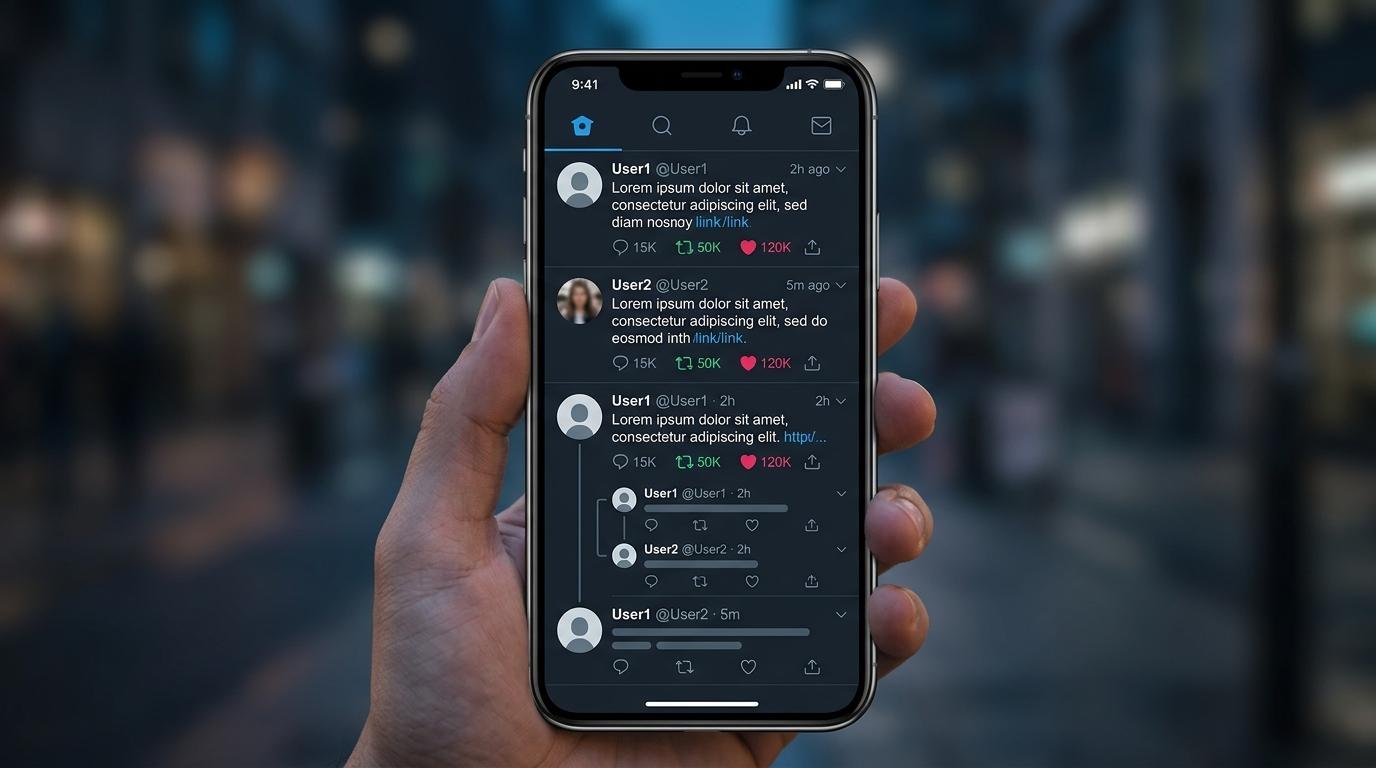
Social media has become an important part of everyday communication, and Twitter, now known as X, remains a popular place to follow breaking news, public discussions, celebrities, businesses, and trending topics. However, not everyone wants to create an account or sign in just to read a public post. This is where a Twitter viewer becomes useful.
A Twitter viewer is a term commonly used for tools and methods that help people explore publicly available X profiles, posts, replies, and other social media content. Depending on the tool, visitors may be able to search for a username, read public posts, or explore conversations without using their personal account.
But how do these tools work? Can you view Twitter profiles anonymously? Are private accounts accessible? And what should you know before using a third-party Twitter viewer?
This guide explains everything, including features, limitations, privacy considerations, and safer ways to explore public content.
What Is a Twitter Viewer?
A Twitter viewer is a website, online service, or browsing method that allows users to access publicly available information from Twitter, officially known as X.
Instead of using the X mobile application or signing into an account, visitors may use certain web-based viewing tools to explore public profiles and posts. The exact features depend on the service and whether it has access to the relevant public content.
For example, someone researching a company might want to check its latest announcements. A student might want to follow a public discussion, while a journalist could be interested in examining how a particular topic is being discussed online.
A Twitter viewer can help with these activities when the information is publicly accessible.
Commonly searched features include:
- Public profile viewing
- Public post browsing
- Username searches
- Hashtag exploration
- Access to public conversations
- Viewing publicly shared images and videos
- Exploring trending discussions
It is important to understand that not every Twitter viewer offers all these features. Some third-party services have limited functionality, and others may stop working when X changes its website or access policies.
How Does a Twitter Viewer Work?
Most Twitter viewing tools rely on publicly available information, supported web interfaces, or permitted data access methods.
When a visitor enters a username or profile link, a compatible service may attempt to retrieve the corresponding public information and display it in a readable format.
The general process can look like this:
1. Enter a Public Username
Some viewing websites provide a search field where users can enter an X username.
For example, if someone wants to explore a public business account, they can search for its username rather than manually navigating through multiple social media pages.
2. Find the Available Public Information
Depending on the tool, the results may include a profile description, public posts, profile images, or other available details.
The amount of information varies. A service should not be expected to display every post or interaction.
3. Browse Public Posts
If the service supports post viewing, users may be able to read available updates and follow conversations.
Some tools also organize results by date or keyword, making it easier to locate specific information.
4. Open the Original X Content
Whenever possible, checking the original post on X is the best way to confirm its context, publication date, and accuracy.
Third-party displays can be incomplete or outdated.
Main Features of a Twitter Viewer
The popularity of Twitter viewer searches comes from the different ways people use public social media information.
Here are some features commonly associated with these tools.
Public Profile Viewing
Public profile viewing helps visitors explore accounts that allow their content to be seen publicly.
A typical profile may contain:
- Display name and username
- Profile photograph
- Account biography
- Public posts
- Publicly displayed profile information
This can be useful when researching a brand, public personality, news organization, or business.
Public Tweet and Post Viewing
Twitter posts are now officially called posts on X, although many users still use the word tweets.
A viewer may allow users to read publicly accessible updates without opening the official mobile application.
Posts can include text, photographs, videos, links, announcements, and replies.
Hashtag Exploration
Hashtags help organize discussions around particular subjects.
For example, someone researching technology news might explore hashtags related to artificial intelligence, smartphones, cybersecurity, or digital marketing.
Some third-party tools provide hashtag-based discovery, although access and search accuracy vary.
Media and Image Viewing
Images and videos are a major part of social media communication.
Depending on the platform, a Twitter viewer may display publicly available media attached to posts. However, media availability can change because of deleted posts, account privacy settings, platform restrictions, or technical limitations.
Public Conversation Research
Public discussions can provide useful insight into customer opinions, industry developments, and emerging trends.
Researchers and marketers may use publicly accessible conversations to understand what people are discussing and which subjects are attracting attention.
Can You View Twitter Without an Account?
This is one of the most common questions people ask when searching for a Twitter viewer.
The answer depends on the content, current X access restrictions, and the browsing method being used.
Some public X pages may be accessible through a web browser without signing in. However, X can restrict certain pages, searches, interactions, and features for logged-out visitors.
A third-party viewing service may provide a different interface, but it does not guarantee access to all public posts.
If you only want to read a particular public update, opening its original link in a browser is a sensible first step.
Keep in mind that viewing content and interacting with it are different activities. Liking, reposting, following, and replying generally require an X account.
Can You Use a Twitter Viewer Anonymously?
Many people search for anonymous Twitter viewing because they do not want to use their personal social media accounts for basic research.
Viewing a public profile without signing into X may reduce the amount of account information associated with that browsing session.
However, anonymous viewing should not be confused with complete online privacy.
Websites may collect technical information such as:
- IP addresses
- Browser type
- Device information
- Cookies
- Website usage data
- Referral information
Third-party services may also use analytics or advertising technologies.
Therefore, no responsible service should promise that visitors are completely invisible online.
If privacy matters, review the website’s privacy policy, avoid unnecessary permissions, and do not provide personal information simply to view publicly available content.
Public Twitter Accounts vs Private Accounts
Understanding the difference between public and protected accounts is essential before using any Twitter viewer.
X provides privacy settings that allow users to control who can see their posts.
Public Accounts
Public posts are visible to everyone by default, including people who do not have an X account.
This makes public accounts useful for sharing announcements, news, opinions, and information with a wider audience.
Protected Accounts
Protected posts are restricted to approved followers.
When an account protects its posts, new followers must receive approval before accessing that content.
Third-party Twitter viewers should not be treated as a way to bypass these restrictions.
According to the official X Help Center, protected posts are intended to remain visible only to approved followers.
For more information, visit the official guide:
https://help.x.com/en/safety-and-security/public-and-protected-posts
Benefits of Using a Twitter Viewer
A Twitter viewer can be useful for different types of online research and everyday browsing.
1. Convenient Public Information Access
Users can explore publicly available social media information without necessarily installing another application.
This can be helpful for people who prefer using desktop browsers or want to access a particular public post quickly.
2. Social Media Research
Students, researchers, journalists, and marketers often study public online discussions.
A Twitter viewer may help them locate relevant posts and understand how conversations develop.
3. Brand and Competitor Research
Businesses can monitor public announcements, product launches, customer discussions, and competitor updates.
For example, a digital marketing agency researching a smartphone brand might examine its public announcements and customer conversations.
4. Following Trending Topics
Public social media conversations can reveal which subjects are attracting attention.
Technology launches, entertainment announcements, sports events, and major news stories often generate extensive discussions.
5. Exploring Content Without Creating Another Account
Some people simply prefer not to maintain multiple social media accounts.
Where public content remains accessible, a browser-based viewer can offer another way to explore it.
Twitter Viewer vs Official X Platform
A third-party viewer and the official X platform serve different purposes.
| Feature | Twitter Viewer | Official X |
|---|---|---|
| Public profile viewing | Depends on tool | Yes |
| Public post viewing | Depends on tool | Yes |
| Account required | Sometimes not | Depends on activity |
| Posting updates | Usually unavailable | Yes |
| Liking and reposting | Usually unavailable | Yes |
| Following accounts | Usually unavailable | Yes |
| Privacy controls | Limited | Full account controls |
| Notifications | Tool-dependent | Available |
The official X platform remains the better option for users who want complete social media functionality.
A third-party viewer is more suitable for limited public browsing when its features and privacy practices are trustworthy.
How to Choose a Safe Twitter Viewer
Not every website advertising Twitter viewing services deserves your trust.
Some websites may display excessive advertisements, misleading download buttons, or requests for unnecessary personal information.
Before using any third-party service, consider these practical checks.
Check the Website’s Reputation
Look for independent information about the service.
A professional-looking design does not automatically mean that a website is legitimate.
Check whether it has a clear privacy policy, contact information, and understandable terms of use.
Avoid Unnecessary Login Requests
Be careful when an unfamiliar website asks for your X password.
You should not provide your social media login credentials to an unknown third-party viewer.
If a service requests account authorization, review its permissions carefully and confirm that the provider is legitimate.
Avoid Suspicious Downloads
A website that claims you must install a special video player, browser extension, or unknown application just to view a public post deserves extra caution.
Most ordinary public posts should not require unusual software installations.
Check HTTPS and Privacy Information
HTTPS encrypts the connection between your browser and a website, but it does not guarantee that the website itself is trustworthy.
Read the privacy policy and understand what information the service collects.
Respect Other People’s Privacy
Public information should still be handled responsibly.
Do not use viewing services to harass individuals, collect sensitive information, impersonate others, or distribute personal content without permission.
Common Problems When Using Twitter Viewer Tools
Sometimes a Twitter viewer may not display the information a visitor expects.
Several factors can explain this.
Profile Is Not Loading
The account may have changed its username, become protected, been suspended, or been deleted.
The third-party service may also be experiencing a technical issue.
Posts Are Missing
Some tools display only a limited selection of public posts.
Deleted content, restricted accounts, and platform access changes can also affect availability.
Videos Are Not Playing
Media links may become unavailable, or the third-party service may not support the particular video format.
Opening the original post on X is usually a better way to check the media.
Search Results Are Outdated
Third-party services may use cached information.
This means the information displayed might not reflect the latest changes to a profile or post.
For accurate information, verify important details using the original X platform.
Is Twitter Viewer Free to Use?
The answer depends on the individual service.
Some websites offer limited public browsing without charging users. Others may provide additional features through paid plans or subscriptions.
Before paying for any service, examine what it actually offers.
Consider the following:
- Is the basic viewing feature free?
- Does the website require registration?
- Are there hidden subscription costs?
- Does it clearly explain its limitations?
- Is there a refund policy?
- Does it collect unnecessary personal information?
A free service is not automatically safe, and a paid service is not automatically reliable.
Make decisions based on transparency, functionality, and privacy rather than advertising claims.
Who Can Benefit From a Twitter Viewer?
Different users may find public social media viewing useful.
Students: They can explore public discussions and collect information for research projects.
Journalists: They may examine public announcements and follow developing conversations.
Digital marketers: They can research brand communication and public customer feedback.
Business owners: They can monitor public competitor announcements and industry discussions.
Casual readers: They can follow publicly available updates without necessarily maintaining another social media account.
The most important point is to use publicly accessible information responsibly and verify important claims before relying on them.
Frequently Asked Questions About Twitter Viewer
1. What is a Twitter viewer?
A Twitter viewer is a website or browsing tool that helps users explore publicly available Twitter, now X, profiles and posts. Its features depend on the individual service.
2. Can I view Twitter profiles without logging in?
Some public profiles and posts may be accessible without an X account. However, access can vary because of platform restrictions and changes.
3. Can I view private Twitter accounts?
No legitimate public viewer should bypass an account’s privacy settings. Protected posts are intended for approved followers.
4. Can someone see that I viewed their Twitter profile?
X does not provide users with a standard list identifying everyone who visited their profile. However, interactions such as likes, replies, and follows can be visible.
5. Is anonymous Twitter viewing completely private?
No. Browsing without an X login does not guarantee complete anonymity. Websites and network providers may still collect technical information.
6. Can I watch Twitter videos without an account?
Some publicly accessible video posts may be viewable without signing in, depending on X’s current access restrictions and the availability of the original post.
7. Does a Twitter viewer work on mobile devices?
Many browser-based services are designed to work on smartphones, tablets, and desktop computers. Actual compatibility depends on the service.
8. Are Twitter viewer websites safe?
Some may be legitimate browsing tools, while others may contain excessive advertising, misleading links, or questionable data practices. Always check the provider before using it.
9. Is Twitter still called Twitter?
The platform was rebranded as X. However, many users continue to search for Twitter-related terms, including Twitter viewer, Twitter posts, and Twitter profiles.
10. What is the safest way to view public X posts?
The official X website is generally the most reliable place to confirm public posts. You can also use reputable third-party services after checking their privacy practices and limitations.
Final Thoughts
A Twitter viewer can provide a convenient way to explore public social media information without necessarily using the official X application. Whether someone wants to research a public profile, follow industry discussions, or read a particular post, these tools may offer a useful browsing alternative.
However, users should understand theed ac difference between public and protectcounts, recognize the limitations of third-party services, and avoid websites that request unnecessary permissions or personal information.
The official X platform remains the most dependable source for checking original posts and account information.
If you want to explore more guides about social media, online tools, digital privacy, and modern technology, visit Primewire1.com for more helpful information.
My recommendation: Publish this article under your Tech category. Use Twitter Viewer as the primary keyword rather than the very broad abbreviation TW. No article can guarantee a Google ranking, but this gives the page a much clearer search intent and relevant keyword structure.